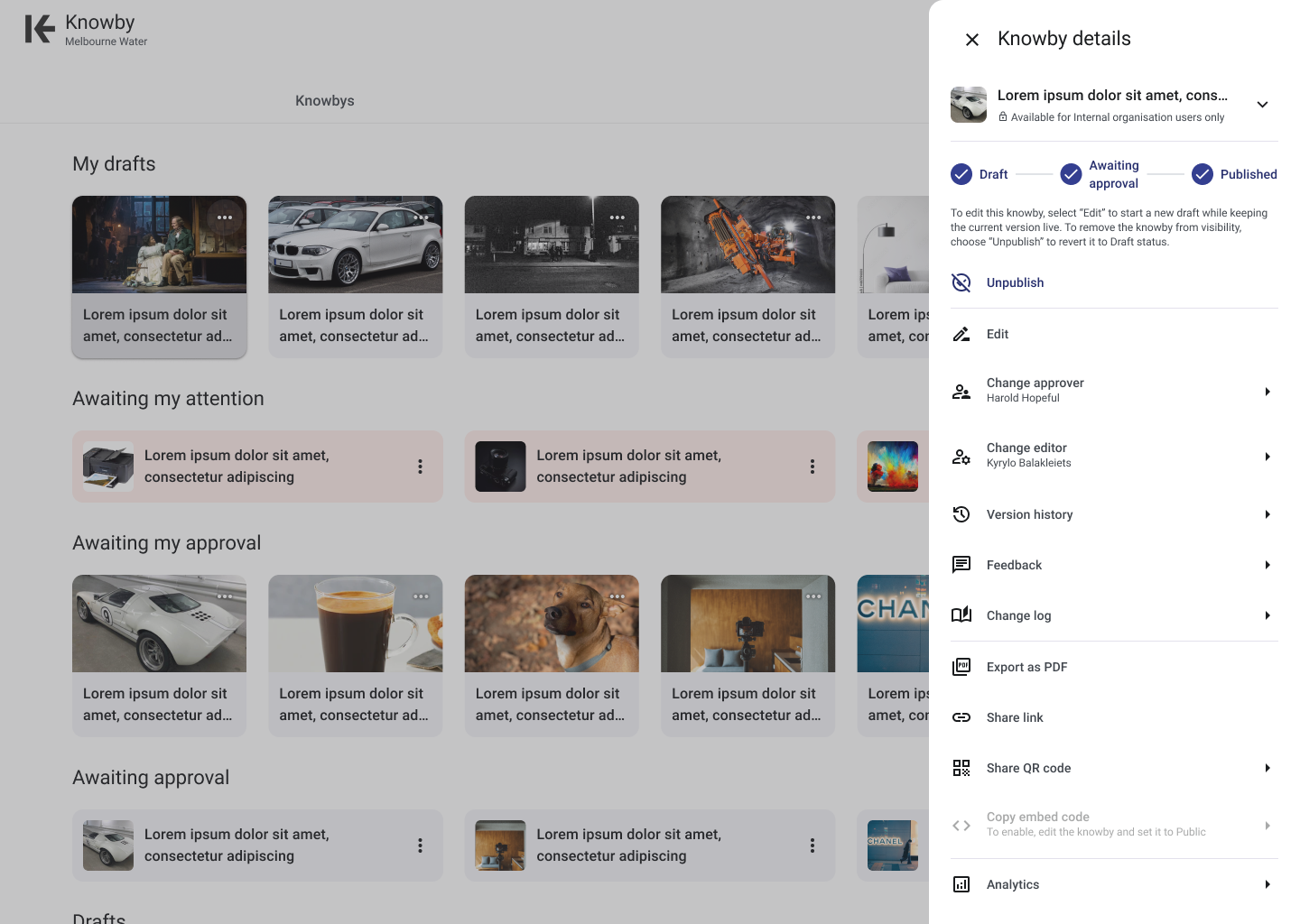
Export knowby to PDF
Objective
To provide users with the ability to export their knowbys — step-by-step instructions created in Knowby Pro — into a PDF format. This feature aims to enable the storage of knowbys for evidence of compliance in document management systems.
Key Features
PDF Generation: Users can convert any knowby into a PDF document, encapsulating the textual content, images, and formatting in a portable format.
Layout and Design: The PDF will maintain the visual hierarchy and design elements of the knowby, ensuring readability and a consistent user experience.
Image Inclusion: All images within the knowby, including diagrams, photographs, and illustrations, will be embedded within the PDF, preserving the instructional integrity.
Limitations
Video Content: Since PDFs are static documents, video content cannot be played within the PDF. Instead, videos will be exported as still images.
Interactive Elements: Any interactive elements within the knowby, such as step completions, will be converted into static images, as the dynamic functionality cannot be replicated in a PDF.
File Size: The inclusion of multiple high-resolution images or a large number of pages may result in a sizeable PDF file.
External Links: While links within the knowby can be included in the PDF, their functionality will depend on the PDF viewer used by the end-user. Recipients of the PDF will need to click on the links to access external resources.
User Interface
Log in to comment and vote
Comments1
Clint Collins
Jul 11, 2025
This feature is now available as of version 6.9.7 (413)