
Changelog

Follow new updates and improvements to Knowby.

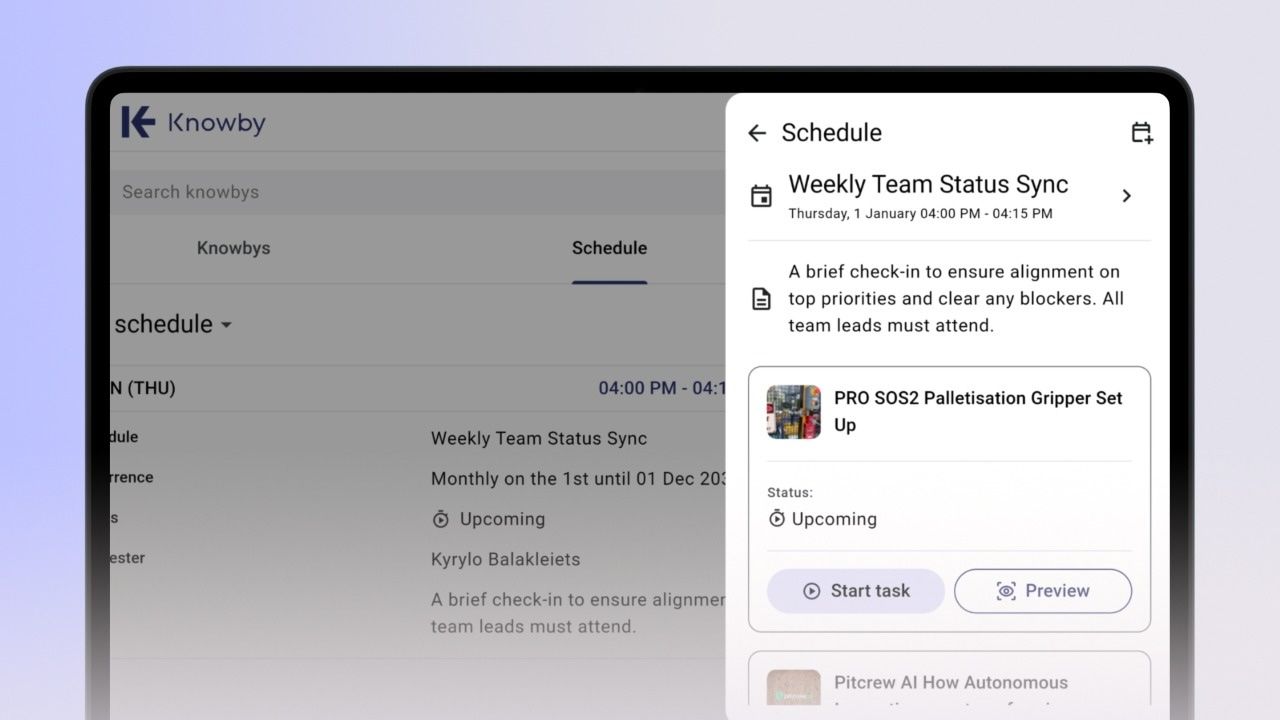
Introducing Scheduling!
December 9th, 2025

What's New?

Schedule a knowby – Schedule and assign knowbys (instructions) to team members for completion. Scheduling ensures that knowbys are delivered at the right time, users stay notified, repeat training becomes automated, and everyone has full visibility into upcoming and completed tasks.

Update:

Copy a step – Now available on manually created knowbys (previously only available on knowbys generated with AI).
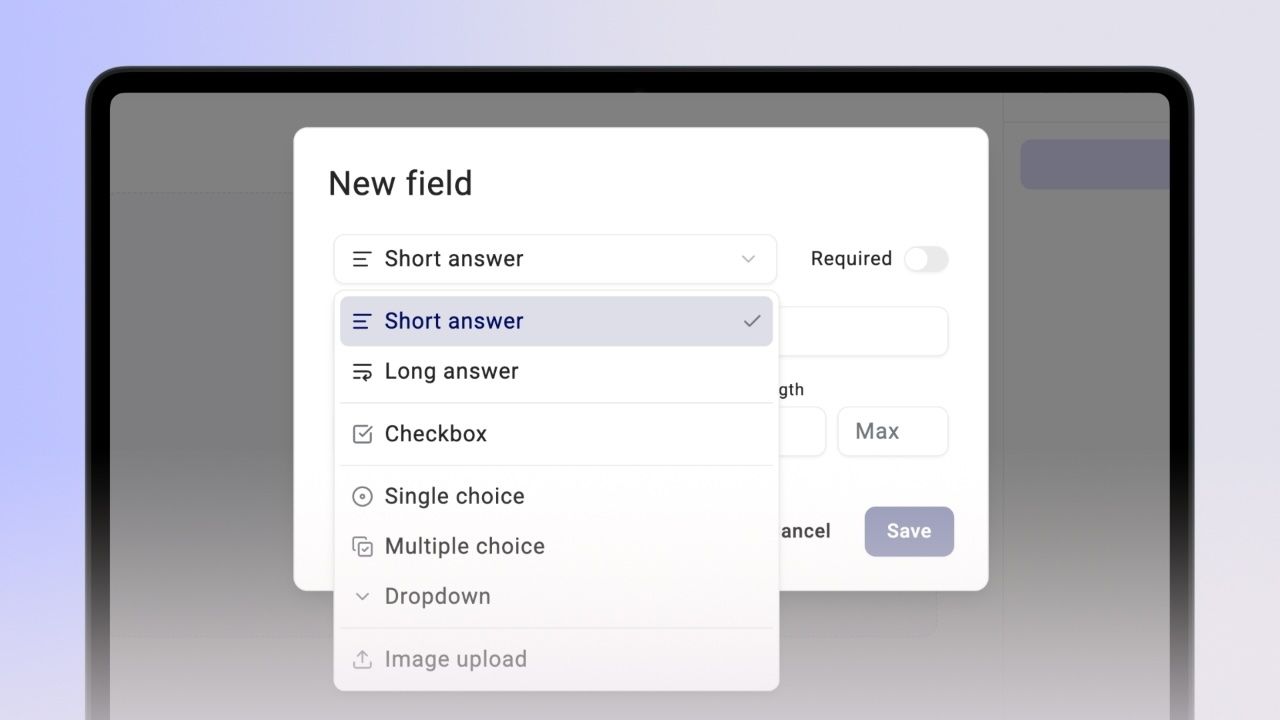

Introducing Knowby Forms & Event Subscriptions!

September 30th, 2025

What's New?

This release makes it easier to capture data from the field and connect Knowby to the rest of your stack:

Forms – Create form fields inside your knowbys to capture data directly from the field and send it back in real time.

Event Subscriptions – Stay connected with your workflows by subscribing to Knowby events via email or webhooks, making it easy to integrate your knowbys with third-party systems.

Introducing Knowby AI, Autosave, Dark Mode & Full-Screen!

What’s New?

This release includes significant upgrades designed to enhance your experience:

Multi-Modal Generative AI – Create knowbys faster with AI-powered automation.

Flexible Layouts – Choose Portrait, Square, or Full Screen for optimal viewing.

Verified Translations – Ensure accuracy with manual translation verification.

Studio Tools – Enhanced editing options knowbys (desktop and tablet only, mobile coming soon).

Dark Mode – A sleek new look that’s easy on the eyes.

Autosave – Your work is automatically saved as you go, so nothing gets lost

Click here to see the latest features

Earlier updates